


Introduction
Have you noticed your MacBook’s bottom panel lifting or the trackpad sitting higher than usual?
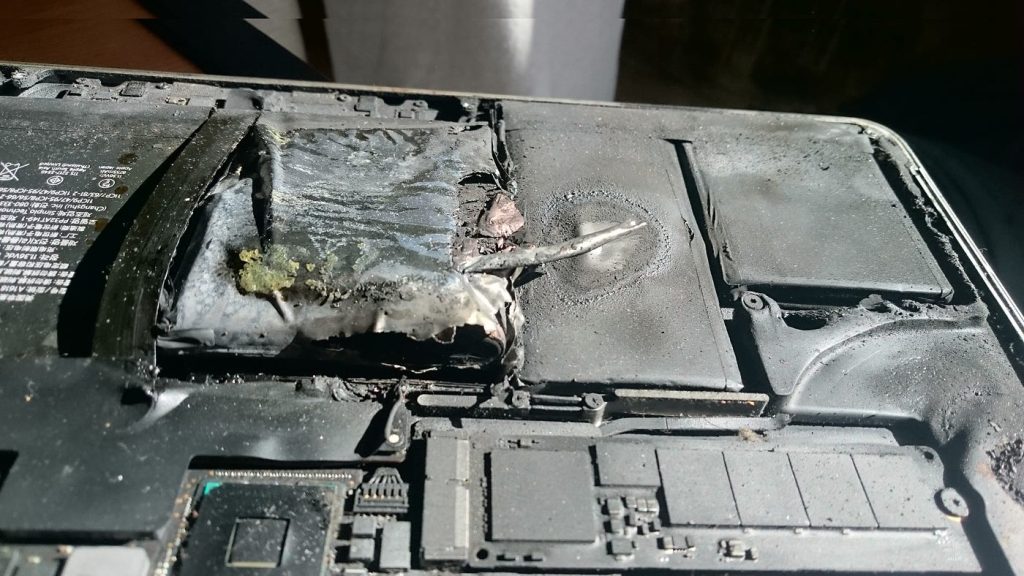
This could be a sign of a swollen or burning battery—a serious issue that can damage your device and even create a fire hazard.
At MacOS.pk in Karachi, we regularly repair MacBooks with swollen batteries, including those facing the problem of MacBook Battery Burn, and help customers keep their laptops safe.
🔋 Why MacBook Batteries Swell or Burn
Modern MacBooks use Lithium-Polymer (Li-Po) batteries.
Over time, chemical reactions inside the cells can produce gas and heat.
Common triggers include:
- Overcharging or continuous charging (always plugged in).
- Extreme temperatures (leaving the MacBook in a hot car).
- Cheap or fake chargers/adapters.
- Age and heavy usage – every battery has a limited cycle count.
⚠️ Signs of a Swollen Battery
- Trackpad feels tight or clicks unevenly.
- Bottom case bulges or laptop doesn’t sit flat.
- Keyboard keys feel raised.
- Strange chemical smell or excessive heat.
If you notice any of these, stop using the MacBook immediately and disconnect the charger.
🛠️ Safe Handling Tips
- Do not puncture or press the swollen area.
- Power off the MacBook if possible.
- Avoid charging until inspected by a technician.
- Transport carefully—preferably in a fireproof bag if the battery is badly swollen.
✅ Professional Repair in Karachi
At MacOS.pk Technocity, our certified team:
- Diagnoses the battery health and cycle count.
- Replaces the battery with a genuine Apple part.
- Checks related components (trackpad, logic board) for liquid or heat damage.
- Completes most repairs within a few hours.
We provide a clean, warranty-backed service so you can use your MacBook safely again.
💡 How to Prevent Future Swelling
- Use only original Apple chargers.
- Keep battery between 20%–80% for everyday use.
- Avoid leaving the laptop in hot cars or direct sunlight.
- Periodically check battery health in System Settings → Battery → Battery Health.
Need a Safe Battery Replacement?
If your MacBook battery is swollen or overheating, visit MacOS.pk